
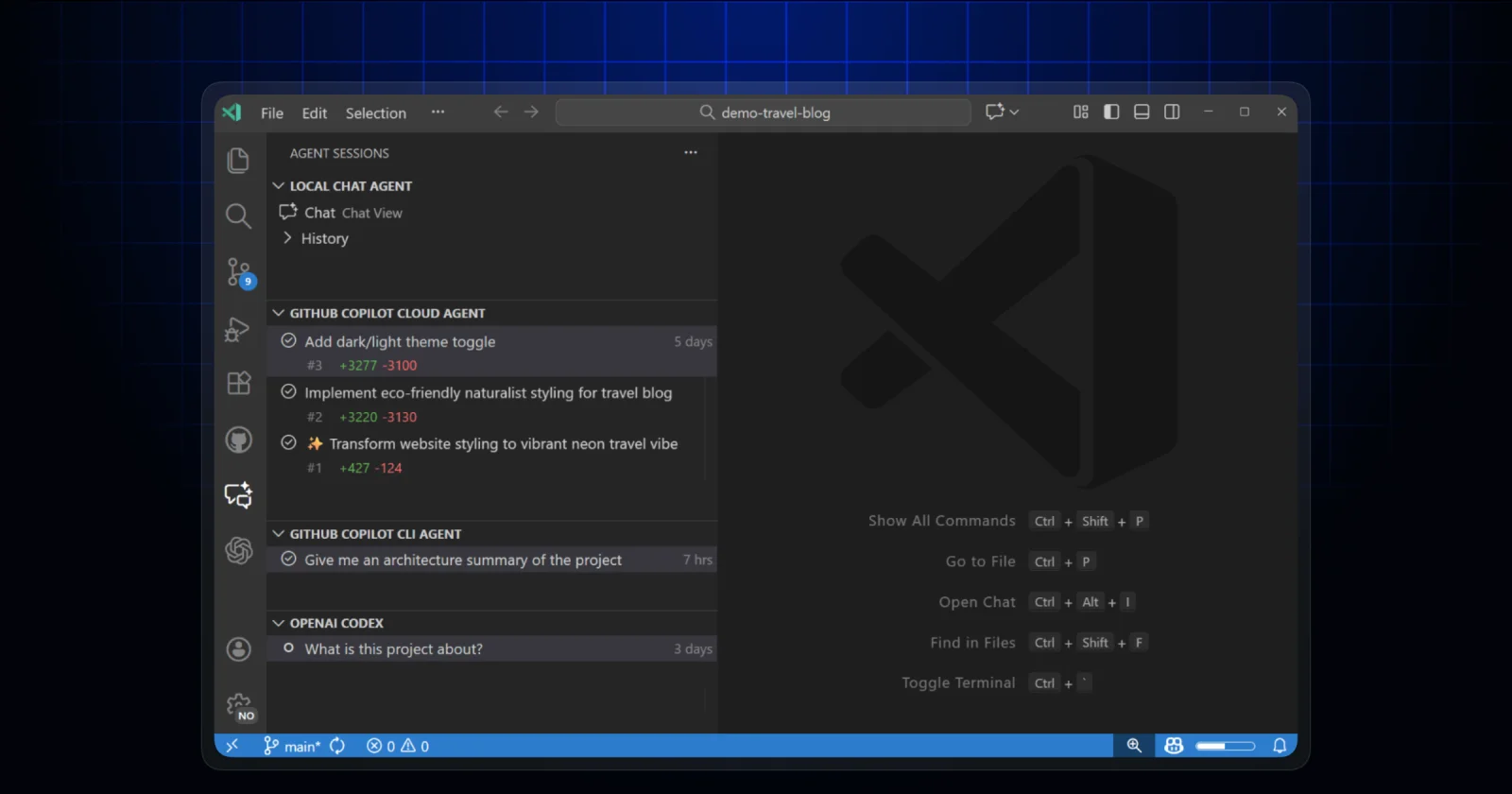
Manage Copilot coding agent tasks in Visual Studio Code
26 similar posts
- Visual Studio Code
- GitHub Copilot
- GitHub Codespaces
- GitHub CLI
AI Summary
Developers can now track and manage GitHub Copilot coding agent tasks directly inside Visual Studio Code through a centralized mission control view. The feature allows viewing session logs, inspecting commit rationale, switching between tasks, and opening sessions in VS Code, Codespaces, or the GitHub CLI.
Key Takeaways
- Track and manage Copilot coding agent tasks in a centralized mission control view within Visual Studio Code.
- View session logs and commit rationales in context directly through the Agent sessions panel.
- Requires the latest version of VS Code with the GitHub Copilot Chat and GitHub Pull Requests extensions.
Why it matters
It streamlines AI-assisted developer workflows by bringing task monitoring, session management, and context switching into the native IDE environment.

Conversation0
What would you add from your experience?
Checking your session…
Every good conversation starts with one perspective.